React Native is a Javascript framework based on React JS that can be used to create iOS and Android apps with one JS codebase. To learn a bit about this, I watched this video: https://www.youtube.com/watch?v=0-S5a0eXPoc
The first step was setting up the environment and installing Node (if it was not already installed) and then Expo (Expo is a library to help with developing React Native apps. It is an industry standard).
A little bit from the start of the video was outdated (Expo commands), but once I worked through that, I found the video to be extremely informative and well done.
By the end of this 2hr video, I was certainly not a master of React Native (there’s still a ton to learn), but it was enough for me to make a basic Mobile Web App (an app that basically just loads a webpage in a webview so that a webpage is served through a mobile context). With a little help from other online documentation, I was able to add eventlisteners for network changes so the app will notify the user when internet becomes unavailable (because a web app will no longer work when that happens.)
Overall, I found the videos extremely well laid out and each concept explained in depth. Here’s the list of what was covered (I thought the flex sections were very well done considering that can be a confusing concept):
- 0:00:00 Introduction
- 0:02:20 Prerequisites
- 0:02:58 What is React Native?
- 0:04:33 Expo
- 0:06:19 Setting up the development environment
- 0:09:17 Your First React Native App
- 0:14:38 Running on an iOS simulator
- 0:18:02 Running on an Android emulator
- 0:26:48 Running on a physical device
- 0:27:54 Logging
- 0:29:16 Debugging with Chrome
- 0:34:27 Debugging in VSCode
- 0:41:39 Publishing
- 0:46:30 Fundamental Concepts
- 0:48:20 View
- 0:51:08 Text
- 0:53:50 Image
- 0:59:25 Touchables
- 1:04:21 Button
- 1:06:01 Alert
- 1:09:55 StyleSheet
- 1:14:49 Platform-specific code
- 1:18:06 Layouts
- 1:18:43 Dimensions
- 1:22:22 Detecting orientation changes
- 1:27:39 Flexbox
- 1:30:56 flexDirection
- 1:32:48 justifyContent, alignItems and alignSelf
- 1:37:22 flexWrap and alignContent
- 1:40:22 flexBasis, flexGrow and flexShrink
- 1:43:07 Absolute and Relative Positioning
- 1:45:59 Exercises
- 1:46:58 Welcome Screen
- 1:57:55 View Image Screen
- 2:02:51 Refactoring
After installing the required packages with npm, I was able to create a new Expo project with the following:
expo init ProjectNameTo then run the project (assuming you have a device or android virtual device), you can run (the tunnel flag was necessary for me to view the app through Expo go on my iPhone on my home network):
npx expo start --tunnelThe nice thing about Expo was it has an Expo Go app where you can view your development app without pushing the actual apk/ios code to the device. This was good for testing. To do this, there are several flags when you run the app in VS code/terminal. You can also just scan a QR code that will open the app on your device with Expo Go if you are connected to the same network.
Here’s an image of a mobile Web App I made based on a wordpress site I manage for ECTS teachers:
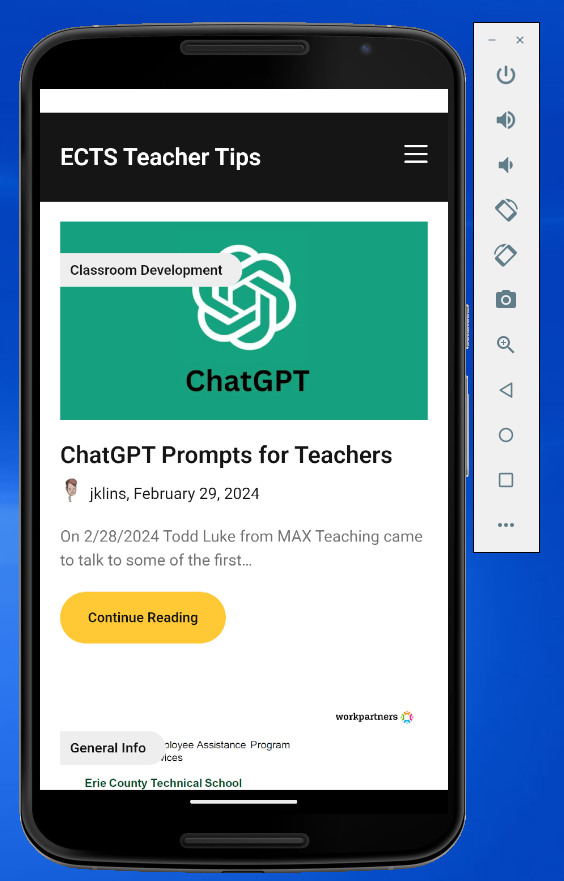
Here is the code for that app (it’s a single file that needs edited, but there are many other files included by Expo/React Native)
import React, { useEffect, useState } from 'react';
import { StyleSheet, Text, View, SafeAreaView, Platform, StatusBar } from 'react-native';
import { WebView } from 'react-native-webview';
import NetInfo from "@react-native-community/netinfo";

export default function App() {
  const [isConnected, setIsConnected] = useState(true); // Assume initially connected

  useEffect(() => {
    const unsubscribe = NetInfo.addEventListener(state => {
      setIsConnected(state.isConnected);
    });
    return () => {
      unsubscribe();
    };
  }, []);

  if (!isConnected) {
    return (
      <SafeAreaView style={styles.notConnected}>
        <Text style={styles.notConnectedText}>
          You are not connected to the internet. Please check your connection.
        </Text>
      </SafeAreaView>
    );
  }

  return (
    <SafeAreaView style={styles.container}>
      <WebView
        style={styles.webview}
        source={{ uri: 'https://ects-cmp.com/teachertips/' }}
      />
    </SafeAreaView>
  );
}

const styles = StyleSheet.create({
  container: {
    flex: 1,
    backgroundColor: '#fff',
    //paddingTop: Platform.OS === "android" ? StatusBar.currentHeight : 0,
  },
  notConnected: {
    flex: 1,
    justifyContent: "center",
    alignItems: "center"
  },
  notConnectedText: {
    padding: 10,
  },
  webview: {
    width: "100%",
    height: "100%",
    flex: 1,
  },
});
Ultimately, I have a ton more to learn here. My next steps will be improving splash screens, not connected screens and actually published to app stores, but I think this is a good start.
Update:
I updated the icons and splash screens by changing the files referenced in app.json. I updated icon.png, adaptive-icon.png, and splash.png.
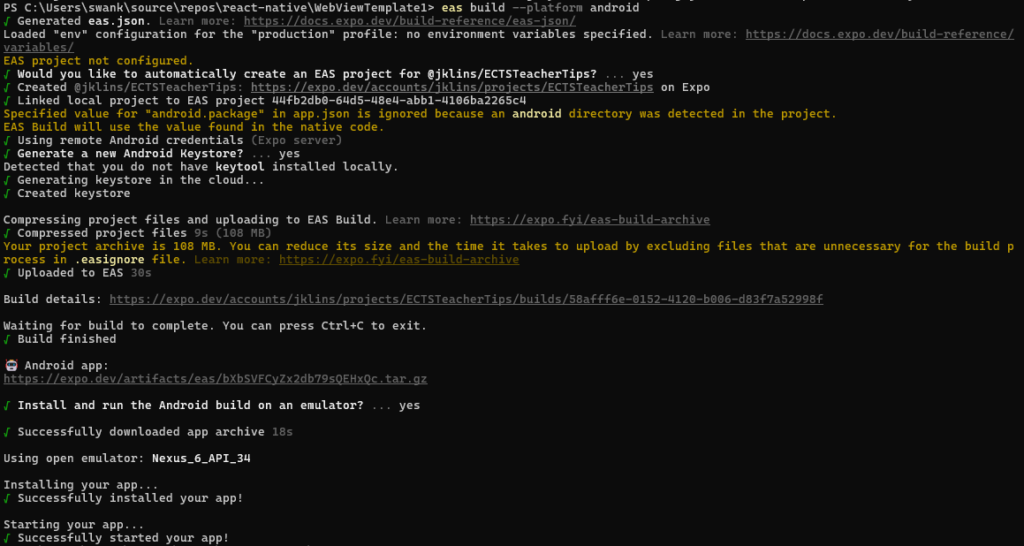
I created the .aab file for the google play store with this command: eas build –platform android
It took a long time to run, but then created a zip file for me to download that contained the file I needed.