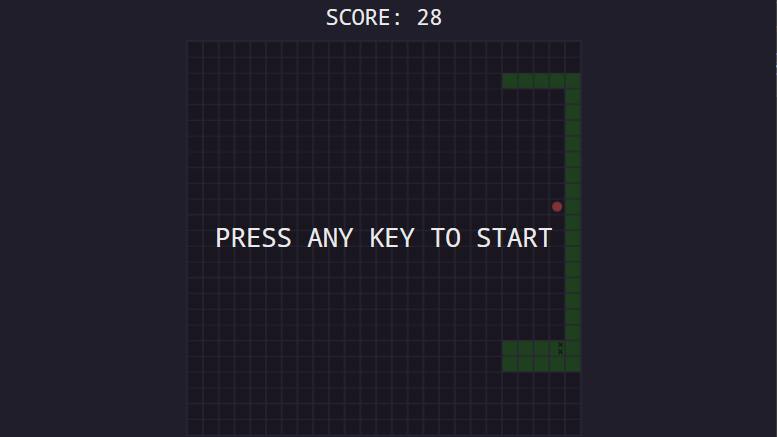


Description:
The snake game (which was made using C# as you can tell from the title using a WPF Application which also has a xaml thingy which is a part of the application itself)I made detects when the player press the arrows on the bottom right of the keyboard right of the Ctrl button and if the player hits themselves or the outside boarder of the grid the game will end and you’ll start over again.
Breaking it down
I used a tutorial on youtube which gave clear instructions on how to create it and even gave the assets used in the video in the description.
Link of the video: Programming a Snake Game in C# – Full Guide – YouTube
Things that went well in development
The main window was probably the easiest apart from the grid value which was way shorter and very easy to make.
Images of the window code + actual window:


Areas I struggled with and how i worked through it
most of the time while trying to copy and paste my code from github there were invisible characters appeared and caused errors within the program which was fixed when deleting say <Window to fix the error + deleting the unnecessary space in front of the <Window in order to fix the error. there was also a startup error i encountered where there were duplicate codes within the startup process, how that was fixed was creating a new WPF application and pasting the code given in and fixing any given errors that may occur.
Additional Thoughts and Conclusion
Overall the process was fun and the end result was satisfying when you know your code finally worked and all that time wasted wasn’t actually wasted whatsoever. So if anyone actually has an interest in game development I’d recommend starting small like something like this and start working your way up, not what I’m doing because after snake game was done I immediately jumped to making a 3D FPS multiplayer game using C++ in unreal engine…
Link to github
Snake game link: Zzmrhy/Snake (github.com)