Recommend software and skill: Visual Studio or visual studio code, Python, Pygame, and Tiled
Tutorial:
- Creating a platformer in Pygame with a camera, collisions, animation states and particle effects – YouTube
- Creating a Mario style level in Python / Pygame with a visual level editor [Tiled] – YouTube
- Creating a Mario-style overworld in Python with Pygame (and pirates) – YouTube
- Adding a health bar, coin indicators and collisions to a platformer – YouTube
- Finishing the mario platformer – YouTube
Link to Download Tiled: Tiled Map Editor by Thorbjørn (itch.io)
Graphic:
This is the link to his GitHub don’t copy the code down. Get the Image from here.
If you want to make this game, you have to be “PATIENT” and have a lot of “MOTIVATION”. The tutorial has 5 parts and it is around 10 hours covers over a lot of stuff. I was planning to write five articles on this project, but after all I feel tired and out of motivation to create five. So, it will all be combined to one. Mainly everything you would want to know to be able to make your own 2d games using Pygame. It took me more than 15 hours to learn and understand 2/3 of the stuff he is talking in the tutorial. You would want to work on this project before you finish the tutorial on Pixel Runner because this platformer is based on Pixel Runner. If you did not look at the Pixel Runner tutorial and did not know basic concept of using Pygame and classes, then you are going to be very lost in the Mario Platformer.
Link to Pixel Runner Article: Pixel Runner – Ects CMP Ecosystem (ects-cmp.com)
Part 1 Platform:
The code under this is an example don’t copy it. It won’t work.
import pygame
#display
pygame.init()
screen_width = 800
screen_height = 700
screen = pygame.display.set_mode((screen_width,screen_height))
overworld = pygame.image.load("overworld.png")
pygame.display.set_caption("Mario Platformer")


#player
Class Player:
def __init__(self):

def __init__(self):
        super().__init__()
        self.image = ((20,40))
        self.image.fill(('red'))
        self.rect = self.image.get_rect()
        self.rect.x = 50
        self.rect.y = Screen_height - 100


    def update(self):
        keys = pygame.key.get_pressed()
        if keys[pygame.K_LEFT]:
            self.rect.x -=1
        if keys[pygame.K_RIGHT]:
            self.rect.x +=1

Enemy(pygame.sprite.Sprite):
    def __init__(self, x, y):
        super().__init__()
        self.image = pygame.image.load("enemy.png")
        self.rect = self.image.get_rect()
        self.rect.x = x
        self.rect.y = y

# This update is for the Enemy
    def update(self):
        self.rect.x += self.speed * self.direction
        if self.rect.right >= Screen_Width or self.rect.left <= 0:
            self.direction *= -1
So, you will start out something similar to this in the first tutorial. He will teach you creating a screen and rectangle like in the Pixel Runner and create collision to the player and the collision for the Enemy. Also making animation for the Player
After all you have done in the first part tutorial you will end up something like this:
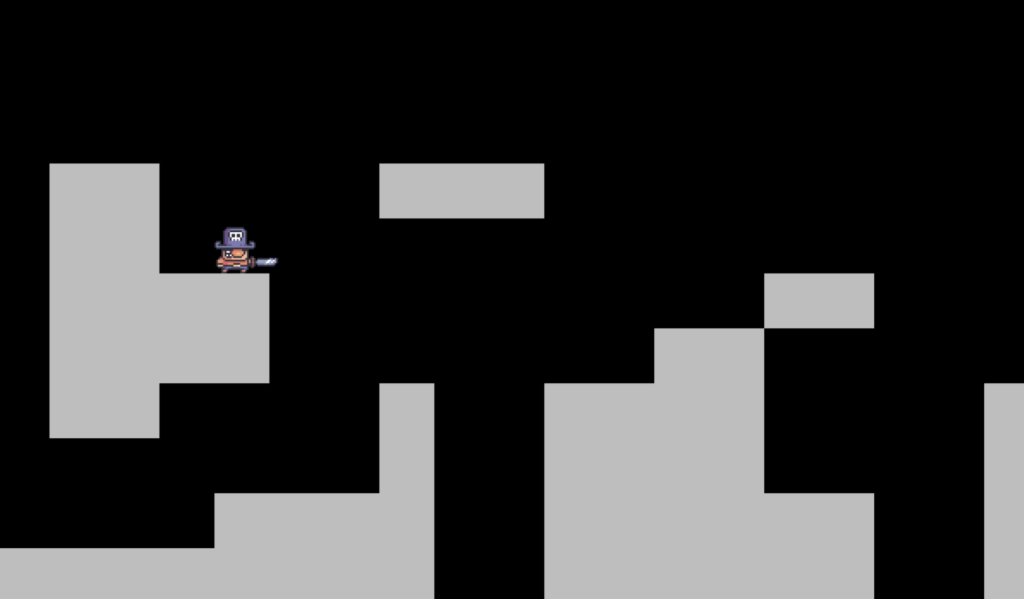
You might feel the first part waste you 2 hours just end up making something like this but think about after this 10-hour tutorial you will be a successful person hopefully to be able to make your own 2d game. What is some keys to be successful in your life? It is Harding working and be patient because if you did not do all of the coding in each tutorial you will not be ending with a successful result that you wanted. And you would want to be success person. Although it wastes a lot of time. You will still learn a lot of stuff and memorize them. “Some people dream of success… While other wake up and work hand at it.” – Mark Zuckerberg
Part 2 Creating your own map:
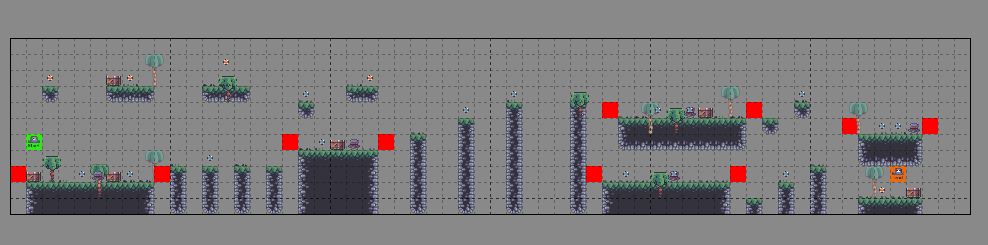
This part you will learn about how to create a map to your game using Tile. Remember to save once a while because Tile have a chance to crash. When you are the data exporting your data to your file explorer remember at the bottom to change it to csv file and save it orelse it is not going to work in Python because Python only read csv file. His works but I when I save my I did not see it, so I figure out you need to export as csv. I forgot if this is in the tutorial, but when you are creating the support class you need to add this at the top.
from csv import reader
from settings import tile_size
import pygame
from os import walk

def import_folder(path):
    surface_list = []
    for _,__,image_files in walk(path):
        for image in image_files:
            full_path= path+ '\\' + image
            image_surf = pygame.image.load(full_path).convert_alpha()
            surface_list.append(image_surf)

    return surface_list

def import_csv_layout(path):
    terrain_map=[]
    with open(path) as map:
        level = reader(map,delimiter = ',')
        for row in level:
            terrain_map.append(list(row))
        return terrain_map
This code will let your map be in a part of your project.
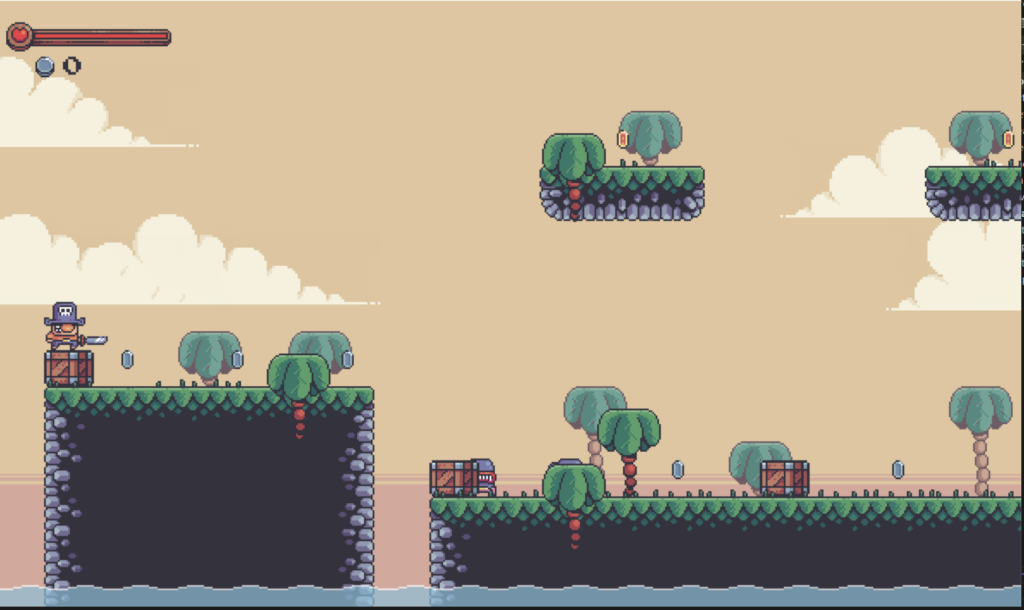
At the end you will see something like this:
Part 3:
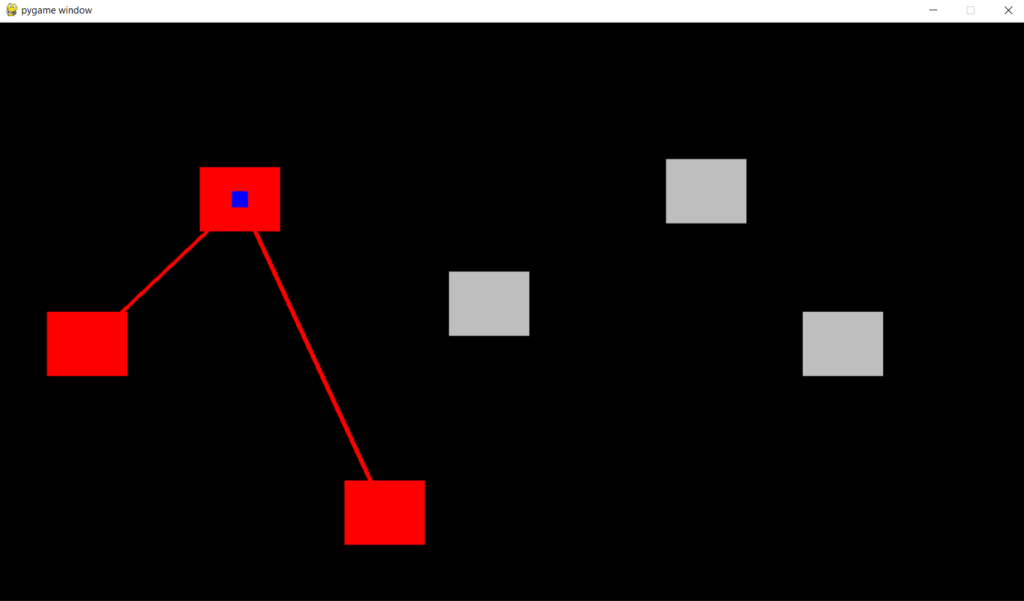
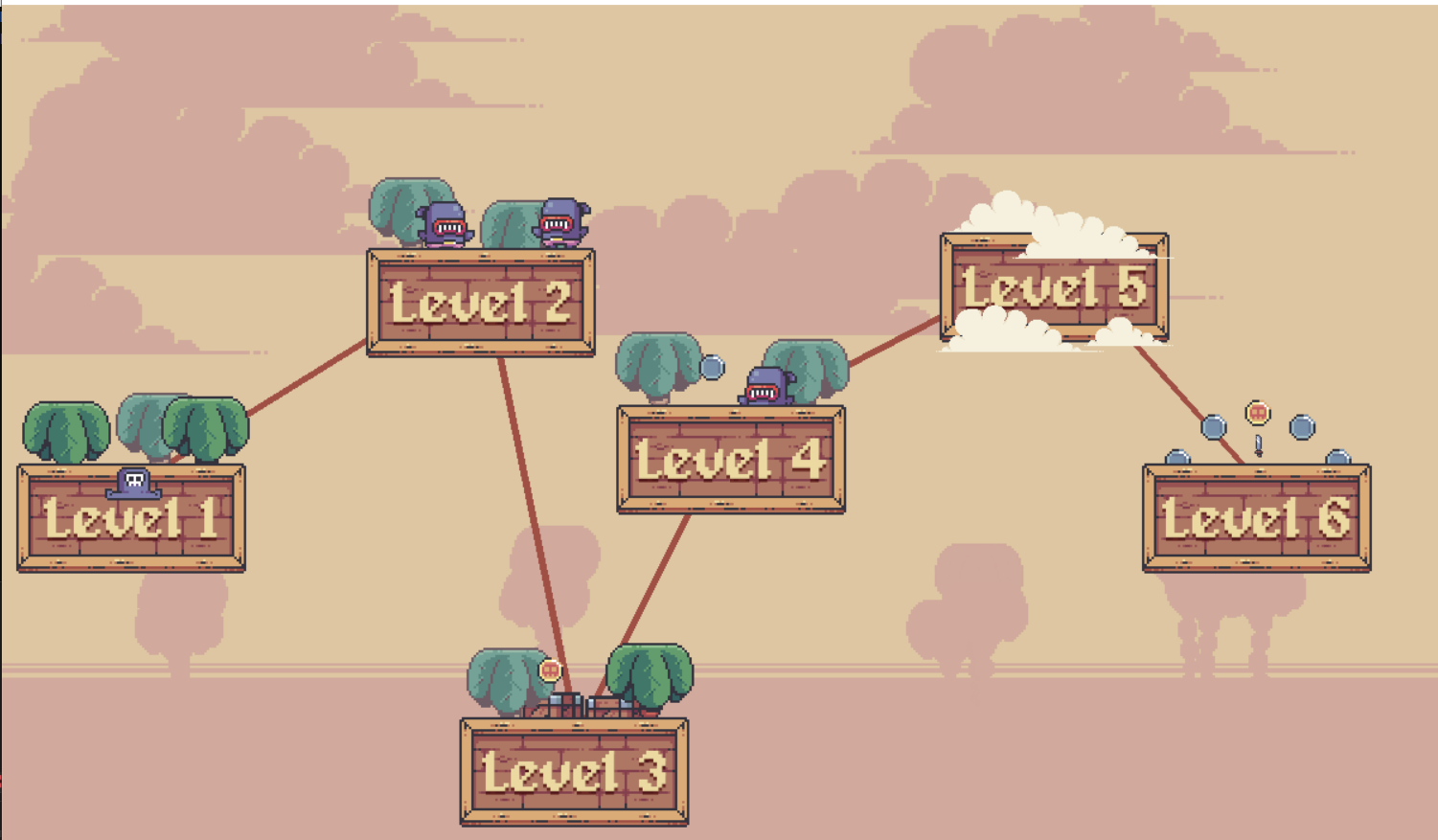
This part you are creating an overworld basically is like a Mario style level, I guess that’s what you called it. You will have to create your own level map by your self. If you are out of motivation this is the link to my GitHub where you could take the level maps I created: mariosecond/mariosecond at master · ShaokunJiang/mariosecond (github.com)
You will start up with something like the top one. The red is the level you unlock, the grey is the locked level, and the blue is where your character is at. You will click space to get into the level if you die and you health clears you will have to start all over again. Which locks every level except level 1.
The code will be something similar to this:
def check_game_over(self):
        if self.cur_health <=0:
            self.cur_health = 100
            self.coins = 0
            self.max_level = 0
            self.overworld = overworld(0,self.max_level,screen,self.create_level)
            self.status = 'overworld'
            self.level_bg_musci.stop()
            self.overworld_bg_music.play(loops = -1)
    def run(self):
        if self.status == 'overworld':
            self.overworld.run()
        else:
            self.level.run()
            self.ui.show_health(self.cur_health,self.max_health)
            self.ui.show_coins(self.coins)
            self.check_game_over()
If you feel tired to place in the game data you could use my and change it to your image link:
level_0 = {
    'terrain':'C:\\Users\\shaok\\source\\repos\\2-7-2023 cmp hw\\2DMariostyleplatformer\\levelsowncreatle\\0\\level_0_terrain.csv',
    'coins':'C:\\Users\\shaok\\source\\repos\\2-7-2023 cmp hw\\2DMariostyleplatformer\\levelsowncreatle\\0\\level_0_coins.csv',
    'fg palms':'C:\\Users\\shaok\\source\\repos\\2-7-2023 cmp hw\\2DMariostyleplatformer\\levelsowncreatle\\0\\level_0_fg_palms.csv',
    'bg palms':'C:\\Users\\shaok\\source\\repos\\2-7-2023 cmp hw\\2DMariostyleplatformer\\levelsowncreatle\\0\\level_0_bg_palms.csv',
    'crates':'C:\\Users\\shaok\\source\\repos\\2-7-2023 cmp hw\\2DMariostyleplatformer\\levelsowncreatle\\0\\level_0_crates.csv',
    'enemies':'C:\\Users\\shaok\\source\\repos\\2-7-2023 cmp hw\\2DMariostyleplatformer\\levelsowncreatle\\0\\level_0_enemies.csv',
    'constraints':'C:\\Users\\shaok\\source\\repos\\2-7-2023 cmp hw\\2DMariostyleplatformer\\levelsowncreatle\\0\\level_0_constraints.csv',
    'player':'C:\\Users\\shaok\\source\\repos\\2-7-2023 cmp hw\\2DMariostyleplatformer\\levelsowncreatle\\0\\level_0_player.csv',
    'grass': 'C:\\Users\\shaok\\source\\repos\\2-7-2023 cmp hw\\2DMariostyleplatformer\\levelsowncreatle\\0\\level_0_grass.csv',
    'node_pos': (110,400),
    'unlock':1,
    'node_graphic':'C:\\Users\\shaok\\source\\repos\\2-7-2023 cmp hw\\2DMariostyleplatformer\\graphics\\overworld\\0'}

level_1 = {
    'terrain':'C:\\Users\\shaok\\source\\repos\\2-7-2023 cmp hw\\2DMariostyleplatformer\\levelsowncreatle\\1\\level_1_terrain.csv',
    'coins':'C:\\Users\\shaok\\source\\repos\\2-7-2023 cmp hw\\2DMariostyleplatformer\\levelsowncreatle\\1\\level_1_coins.csv',
    'fg palms':'C:\\Users\\shaok\\source\\repos\\2-7-2023 cmp hw\\2DMariostyleplatformer\\levelsowncreatle\\1\\level_1_fg_palms.csv',
    'bg palms':'C:\\Users\\shaok\\source\\repos\\2-7-2023 cmp hw\\2DMariostyleplatformer\\levelsowncreatle\\1\\level_1_bg_palms.csv',
    'crates':'C:\\Users\\shaok\\source\\repos\\2-7-2023 cmp hw\\2DMariostyleplatformer\\levelsowncreatle\\1\\level_1_crates.csv',
    'enemies':'C:\\Users\\shaok\\source\\repos\\2-7-2023 cmp hw\\2DMariostyleplatformer\\levelsowncreatle\\1\\level_1_enemies.csv',
    'constraints':'C:\\Users\\shaok\\source\\repos\\2-7-2023 cmp hw\\2DMariostyleplatformer\\levelsowncreatle\\1\\level_1_constraints.csv',
    'player':'C:\\Users\\shaok\\source\\repos\\2-7-2023 cmp hw\\2DMariostyleplatformer\\levelsowncreatle\\1\\level_1_player.csv',
    'grass': 'C:\\Users\\shaok\\source\\repos\\2-7-2023 cmp hw\\2DMariostyleplatformer\\levelsowncreatle\\1\\level_1_grass.csv',
    'node_pos': (400,220),
    'node_graphic':'C:\\Users\\shaok\\source\\repos\\2-7-2023 cmp hw\\2DMariostyleplatformer\\graphics\\overworld\\1',
    'unlock':2}
level_2 = {
    'terrain':'C:\\Users\\shaok\\source\\repos\\2-7-2023 cmp hw\\2DMariostyleplatformer\\levelsowncreatle\\2\\level_2_terrain.csv',
    'coins':'C:\\Users\\shaok\\source\\repos\\2-7-2023 cmp hw\\2DMariostyleplatformer\\levelsowncreatle\\2\\level_2_coins.csv',
    'fg palms':'C:\\Users\\shaok\\source\\repos\\2-7-2023 cmp hw\\2DMariostyleplatformer\\levelsowncreatle\\2\\level_2_fg_palms.csv',
    'bg palms':'C:\\Users\\shaok\\source\\repos\\2-7-2023 cmp hw\\2DMariostyleplatformer\\levelsowncreatle\\2\\level_2_bg_palms.csv',
    'crates':'C:\\Users\\shaok\\source\\repos\\2-7-2023 cmp hw\\2DMariostyleplatformer\\levelsowncreatle\\2\\level_2_crates.csv',
    'enemies':'C:\\Users\\shaok\\source\\repos\\2-7-2023 cmp hw\\2DMariostyleplatformer\\levelsowncreatle\\2\\level_2_enemies.csv',
    'constraints':'C:\\Users\\shaok\\source\\repos\\2-7-2023 cmp hw\\2DMariostyleplatformer\\levelsowncreatle\\2\\level_2_constraints.csv',
    'player':'C:\\Users\\shaok\\source\\repos\\2-7-2023 cmp hw\\2DMariostyleplatformer\\levelsowncreatle\\2\\level_2_player.csv',
    'grass': 'C:\\Users\\shaok\\source\\repos\\2-7-2023 cmp hw\\2DMariostyleplatformer\\levelsowncreatle\\2\\level_2_grass.csv',
    'node_pos': (480,610),
    'node_graphic':'C:\\Users\\shaok\\source\\repos\\2-7-2023 cmp hw\\2DMariostyleplatformer\\graphics\\overworld\\2',
    'unlock':3}

level_3 = {
    'terrain':'C:\\Users\\shaok\\source\\repos\\2-7-2023 cmp hw\\2DMariostyleplatformer\\levelsowncreatle\\3\\Level_3_terrain.csv',
    'coins':'C:\\Users\\shaok\\source\\repos\\2-7-2023 cmp hw\\2DMariostyleplatformer\\levelsowncreatle\\3\\Level_3_coins.csv',
    'fg palms':'C:\\Users\\shaok\\source\\repos\\2-7-2023 cmp hw\\2DMariostyleplatformer\\levelsowncreatle\\3\\Level_3_fg_palm.csv',
    'bg palms':'C:\\Users\\shaok\\source\\repos\\2-7-2023 cmp hw\\2DMariostyleplatformer\\levelsowncreatle\\3\\LeveL_3_bg_palms.csv',
    'crates':'C:\\Users\\shaok\\source\\repos\\2-7-2023 cmp hw\\2DMariostyleplatformer\\levelsowncreatle\\3\\Level_3_crates.csv',
    'enemies':'C:\\Users\\shaok\\source\\repos\\2-7-2023 cmp hw\\2DMariostyleplatformer\\levelsowncreatle\\3\\Level_3_enemies.csv',
    'constraints':'C:\\Users\\shaok\\source\\repos\\2-7-2023 cmp hw\\2DMariostyleplatformer\\levelsowncreatle\\3\\Level_3_constarints.csv',
    'player':'C:\\Users\\shaok\\source\\repos\\2-7-2023 cmp hw\\2DMariostyleplatformer\\levelsowncreatle\\3\\Level_3_player.csv',
    'grass': 'C:\\Users\\shaok\\source\\repos\\2-7-2023 cmp hw\\2DMariostyleplatformer\\levelsowncreatle\\3\\Level_3_grass.csv',
    'node_pos': (610,350),
    'node_graphic':'C:\\Users\\shaok\\source\\repos\\2-7-2023 cmp hw\\2DMariostyleplatformer\\graphics\\overworld\\3',
    'unlock':4}

level_4 = {
    'terrain':'C:\\Users\\shaok\\source\\repos\\2-7-2023 cmp hw\\2DMariostyleplatformer\\levelsowncreatle\\4\\level_4_terrain.csv',
    'coins':'C:\\Users\\shaok\\source\\repos\\2-7-2023 cmp hw\\2DMariostyleplatformer\\levelsowncreatle\\4\\level_4_coins.csv',
    'fg palms':'C:\\Users\\shaok\\source\\repos\\2-7-2023 cmp hw\\2DMariostyleplatformer\\levelsowncreatle\\4\\level_4_fg_palms.csv',
    'bg palms':'C:\\Users\\shaok\\source\\repos\\2-7-2023 cmp hw\\2DMariostyleplatformer\\levelsowncreatle\\4\\level_4_bg_palms.csv',
    'crates':'C:\\Users\\shaok\\source\\repos\\2-7-2023 cmp hw\\2DMariostyleplatformer\\levelsowncreatle\\4\\level_4_crates.csv',
    'enemies':'C:\\Users\\shaok\\source\\repos\\2-7-2023 cmp hw\\2DMariostyleplatformer\\levelsowncreatle\\4\\level_4_enemies.csv',
    'constraints':'C:\\Users\\shaok\\source\\repos\\2-7-2023 cmp hw\\2DMariostyleplatformer\\levelsowncreatle\\4\\level_4_constaints.csv',
    'player':'C:\\Users\\shaok\\source\\repos\\2-7-2023 cmp hw\\2DMariostyleplatformer\\levelsowncreatle\\4\\level_4_player.csv',
    'grass': 'C:\\Users\\shaok\\source\\repos\\2-7-2023 cmp hw\\2DMariostyleplatformer\\levelsowncreatle\\4\\level_4_grass.csv',
    'node_pos': (880,210),
    'node_graphic':'C:\\Users\\shaok\\source\\repos\\2-7-2023 cmp hw\\2DMariostyleplatformer\\graphics\\overworld\\4',
    'unlock':5}

level_5 = {
    'terrain':'C:\\Users\\shaok\\source\\repos\\2-7-2023 cmp hw\\2DMariostyleplatformer\\levelsowncreatle\\5\\Level_5_Terrain.csv',
    'coins':'C:\\Users\\shaok\\source\\repos\\2-7-2023 cmp hw\\2DMariostyleplatformer\\levelsowncreatle\\5\\Level_5_coins.csv',
    'fg palms':'C:\\Users\\shaok\\source\\repos\\2-7-2023 cmp hw\\2DMariostyleplatformer\\levelsowncreatle\\5\\Level_5_fg- palms.csv',
    'bg palms':'C:\\Users\\shaok\\source\\repos\\2-7-2023 cmp hw\\2DMariostyleplatformer\\levelsowncreatle\\5\\Level_5_bg_palms.csv',
    'crates':'C:\\Users\\shaok\\source\\repos\\2-7-2023 cmp hw\\2DMariostyleplatformer\\levelsowncreatle\\5\\Level_5_crates.csv',
    'enemies':'C:\\Users\\shaok\\source\\repos\\2-7-2023 cmp hw\\2DMariostyleplatformer\\levelsowncreatle\\5\\Level_5_enemies.csv',
    'constraints':'C:\\Users\\shaok\\source\\repos\\2-7-2023 cmp hw\\2DMariostyleplatformer\\levelsowncreatle\\5\\Level_5_constrain.csv',
    'player':'C:\\Users\\shaok\\source\\repos\\2-7-2023 cmp hw\\2DMariostyleplatformer\\levelsowncreatle\\5\\Level_5_player.csv',
    'grass': 'C:\\Users\\shaok\\source\\repos\\2-7-2023 cmp hw\\2DMariostyleplatformer\\levelsowncreatle\\5\\Level_5_grass.csv',
    'node_pos': (1050,400),
    'node_graphic':'C:\\Users\\shaok\\source\\repos\\2-7-2023 cmp hw\\2DMariostyleplatformer\\graphics\\overworld\\5',
    'unlock':5}

levels ={
    0:level_0,
    1:level_1,
    2:level_2,
    3:level_3,
    4:level_4,
    5:level_5}
You will be ending something like this:
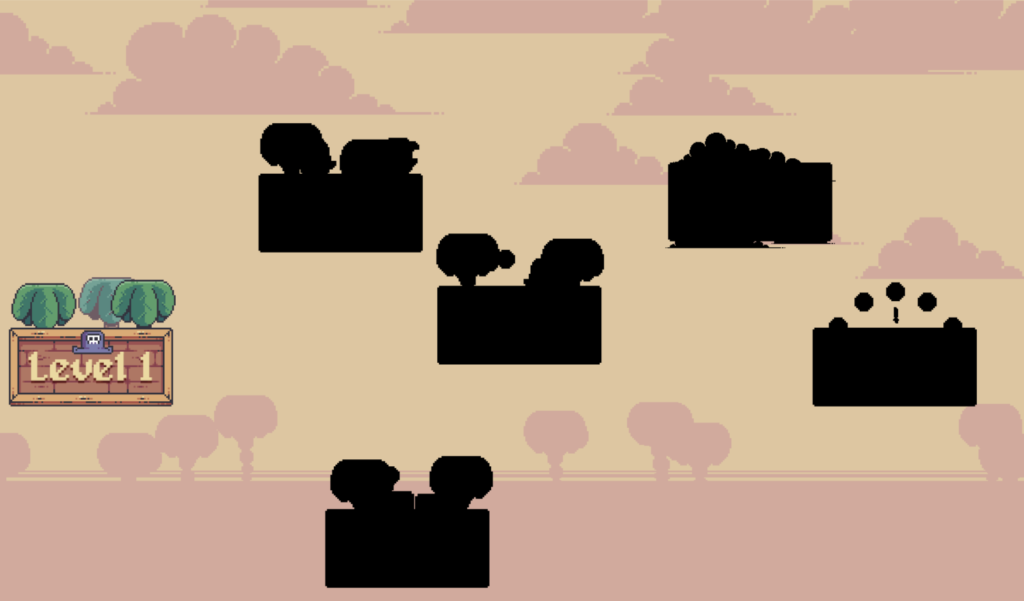
Level when all unlocked, they level are animated. but I took screen shot so it doesn’t move:
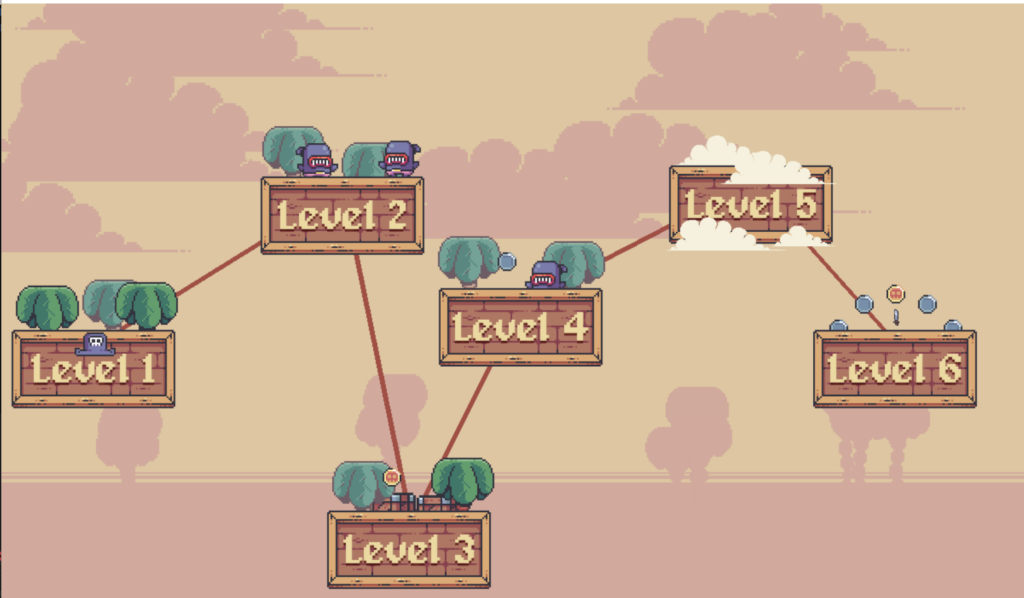
Part 4:
The final part is creating the health bar, make the enemy able to attack, players kill the Enemies, and coins able to be collected. Also, Audio sound something like this:
self.max_level = 0
        self.max_health = 100
        self.cur_health = 100
        self.coins = 0

        #audio
        self.level_bg_musci = pygame.mixer.Sound('C:\\Users\\shaok\\source\\repos\\2-7-2023 cmp hw\\2DMariostyleplatformer\\audio\\level_music.wav')
        self.overworld_bg_music = pygame.mixer.Sound('C:\\Users\\shaok\\source\\repos\\2-7-2023 cmp hw\\2DMariostyleplatformer\\audio\\overworld_music.wav')
The Ending:
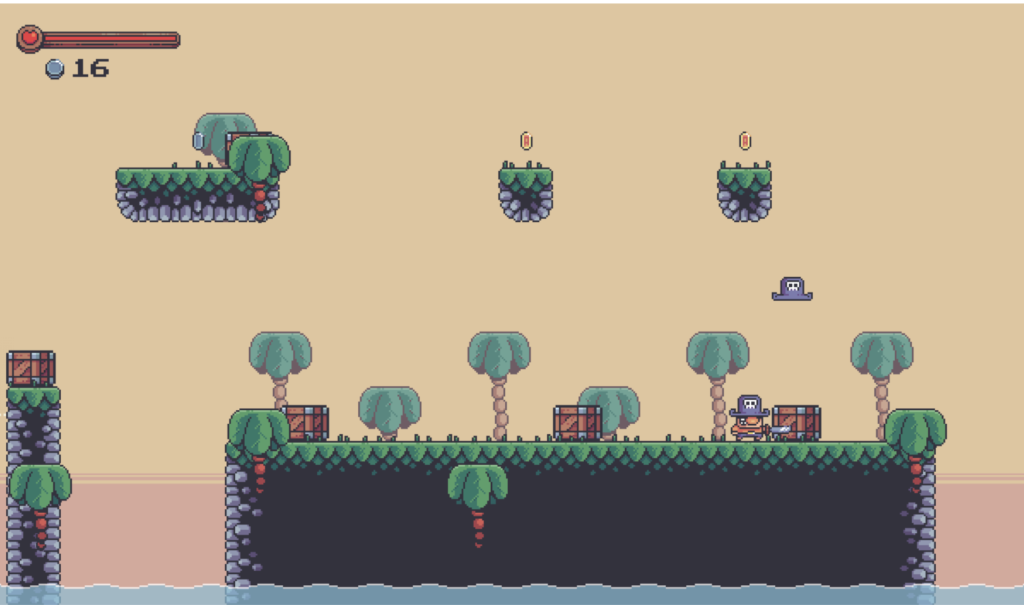

WOW! Awesome Job – on the program AND the article! Really, Really Nice!
Thanks!